A session,
step by step
What you need, what you do and what the app does for you, from first contact to the post-adjustment check.
What you need
- A recent iPhone or iPad, to measure and film
- A stable camera mount
- A home trainer or rollers: pose detection reads the pedalling movement
- Optionally, a compatible Bluetooth measuring machine for anthropometry
- A device with LiDAR makes the aero test more precise, with no prior setup
How long it takes
Setting up takes about ten minutes: fitting the bike, placing the camera, entering the anthropometry. After that, the pace is yours. FramIQ Pro does not shorten your session, it removes the time spent calculating and copying.
Before: the questionnaire
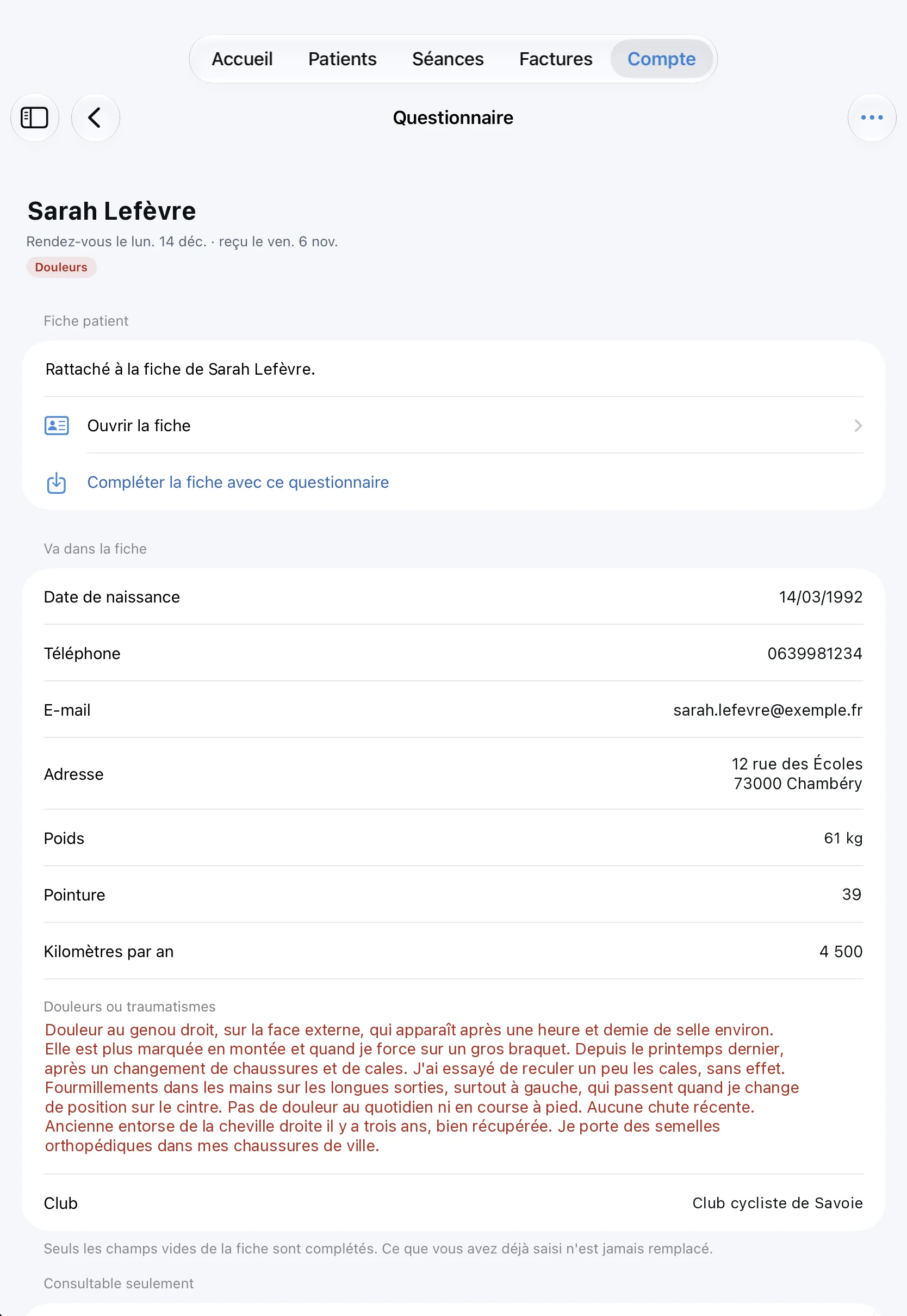
You send the cyclist a link. They describe their riding, yearly distance and pain before coming. Their answers arrive in the app and complete their record in one tap.
Measure and film
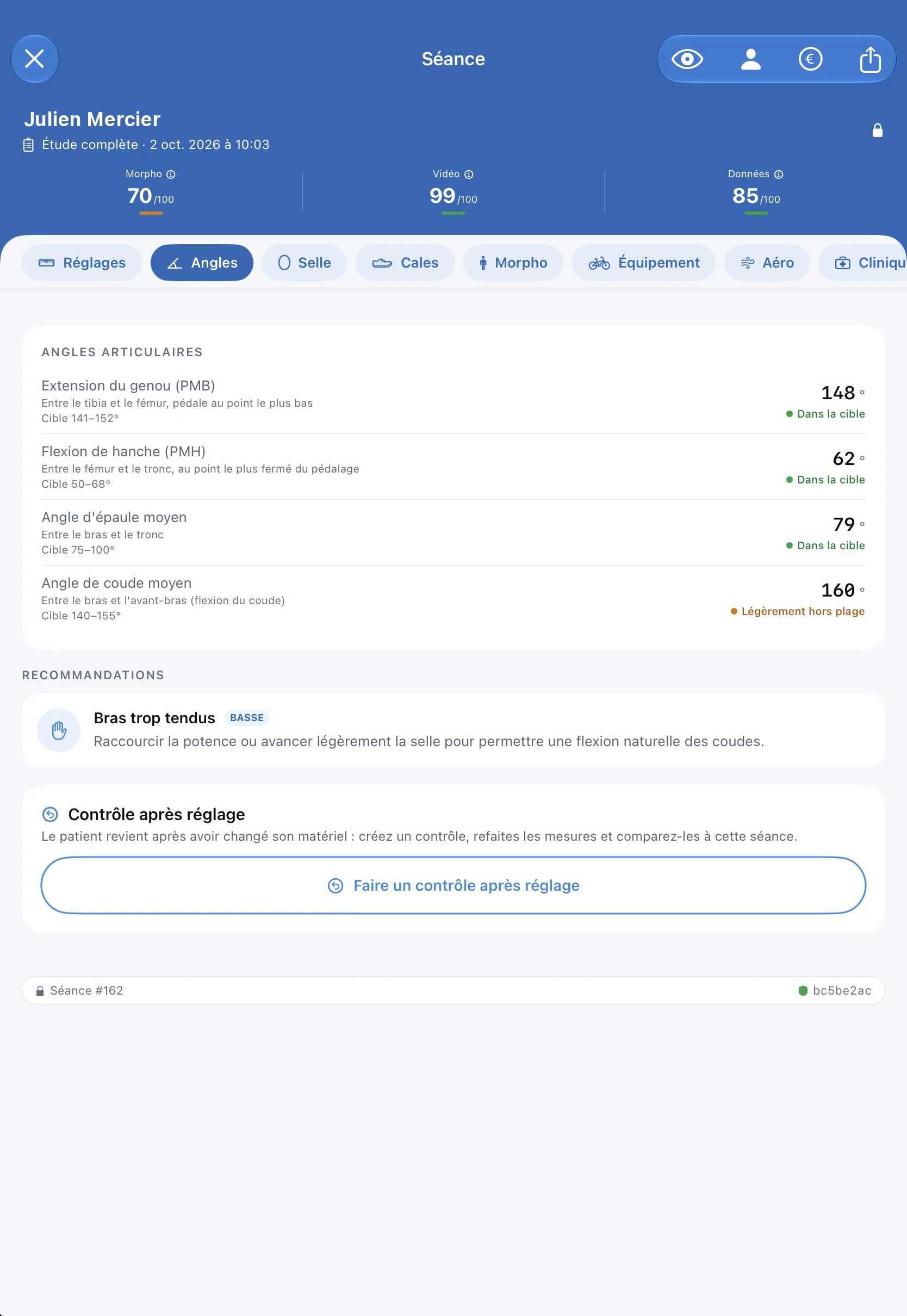
Anthropometry is entered with guidance, field by field. Then you film the cyclist from the side on the home trainer: the app reads the knee, hip, shoulder and elbow angles and compares them with their target range.
Read the settings
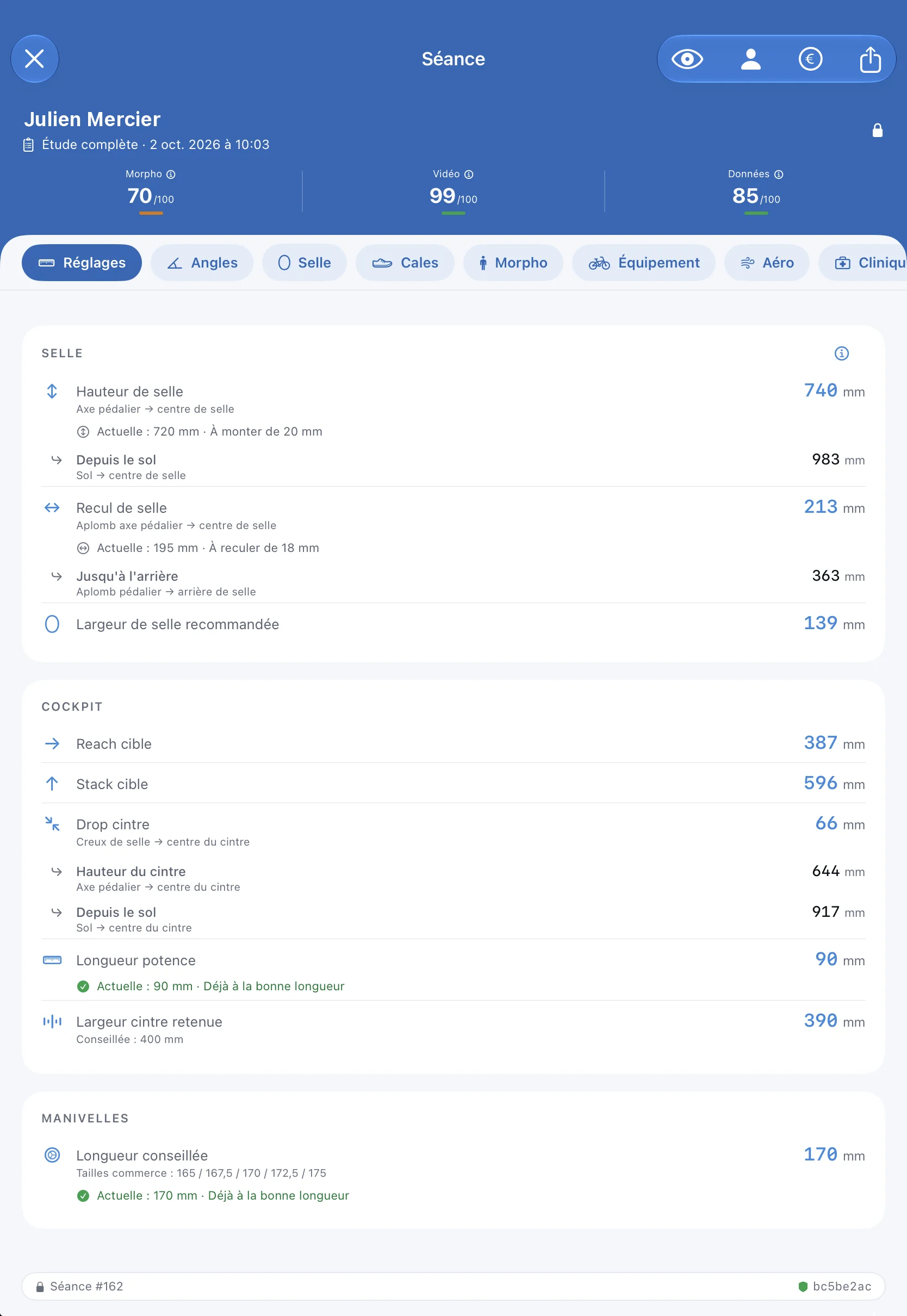
Saddle height and setback, target reach and stack, stem, handlebar, cranks: every value is calculated on the device, with the gap from the current setting.
Check the bike
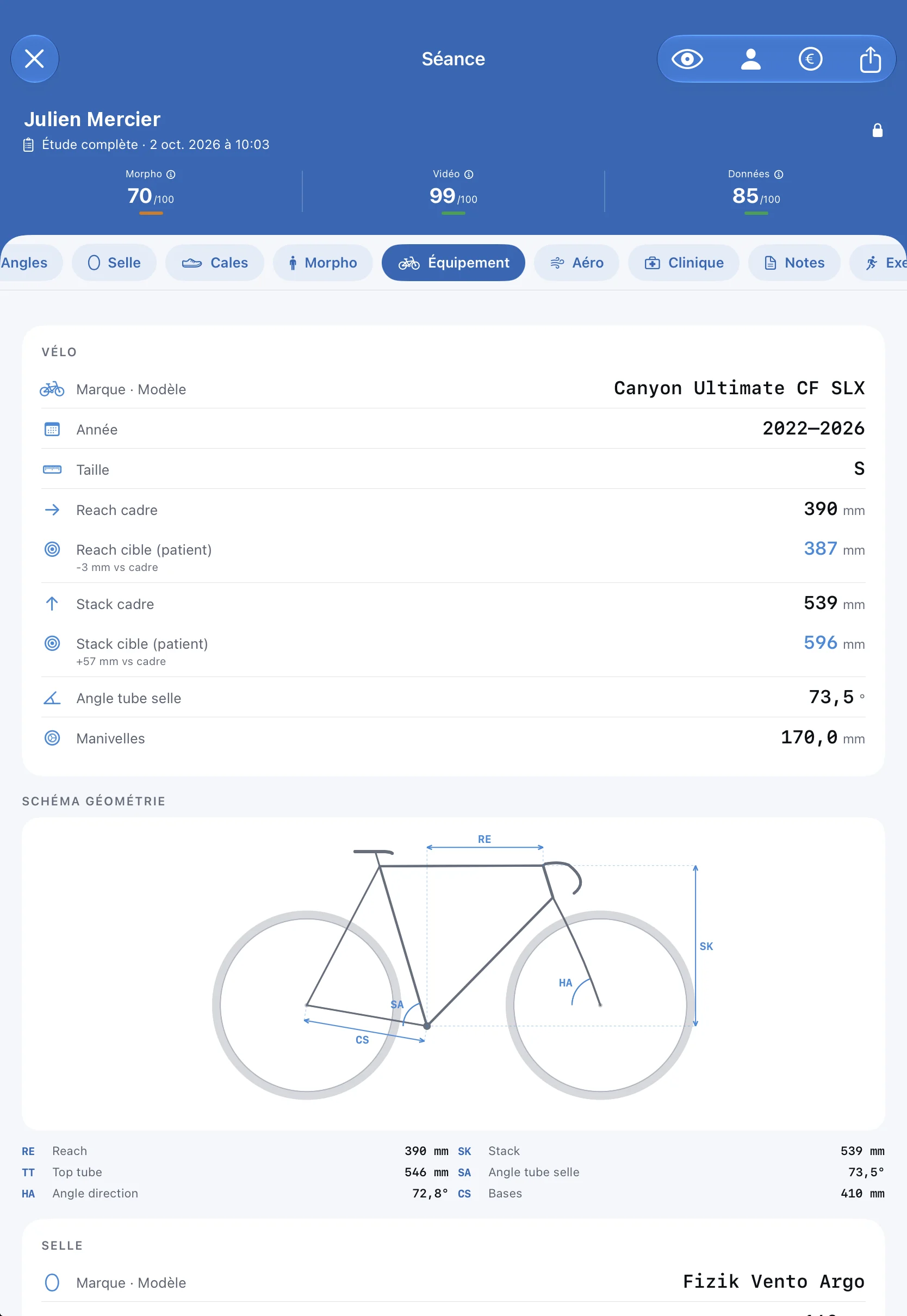
The cyclist's bike is compared with their targets. If they are looking for a new frame, the search ranks the compatible models and compares up to three sizes.
Hand over the report
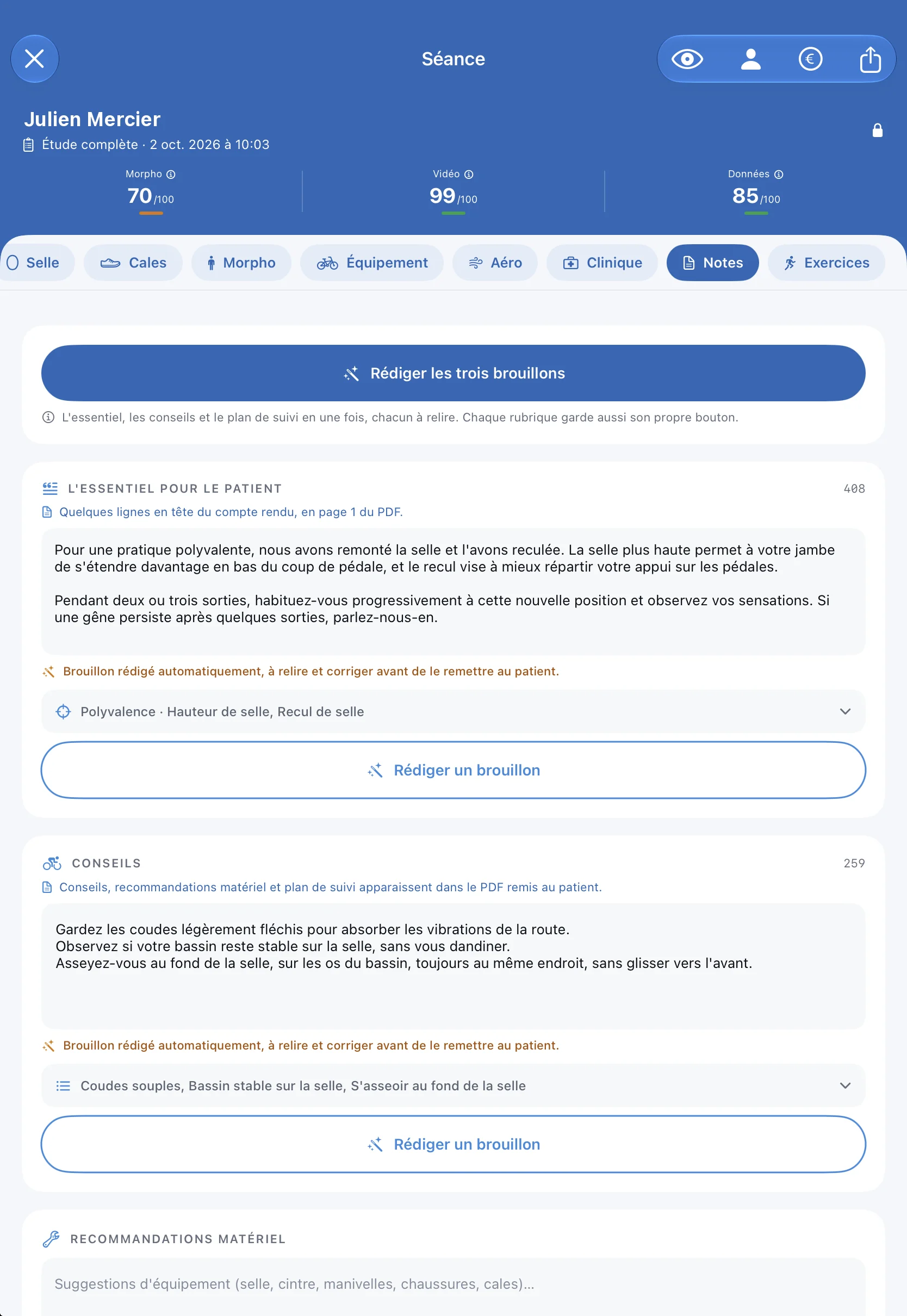
The PDF builds itself from the session. As an option, an artificial intelligence drafts the text, which you always review. The invoice starts from the same session.
See the cyclist again
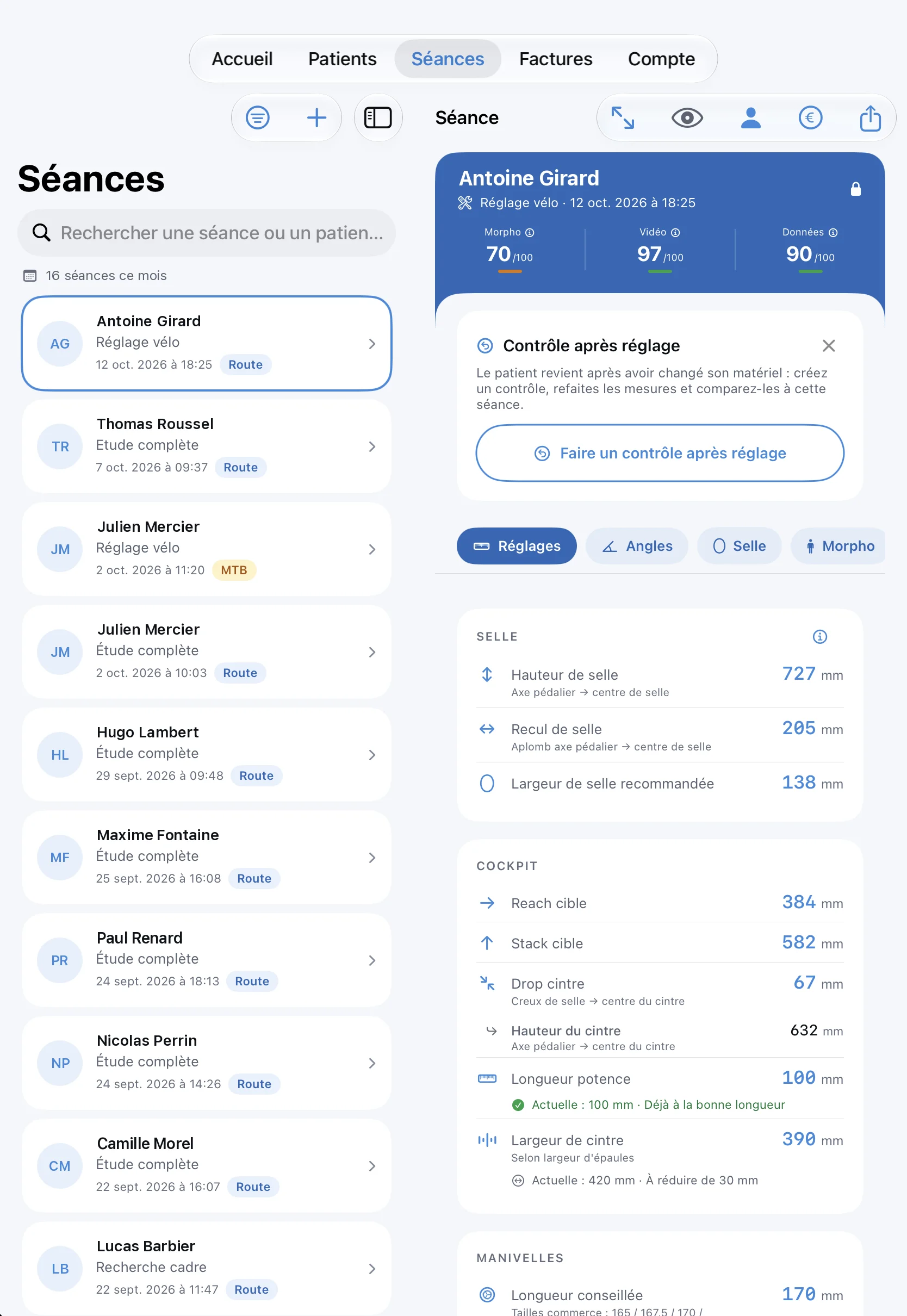
Every session is kept and locked. When the cyclist comes back after changing equipment, the post-adjustment check repeats the measurements and compares them.
What FramIQ Pro does not do
It is a measuring tool, not a training course. It guides the measurements and explains each recommendation, but it assumes you know how to question and examine the person: your judgement decides, not the software.